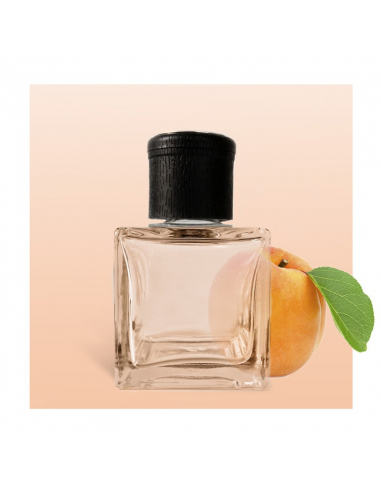
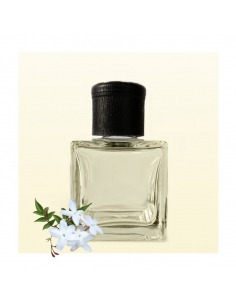
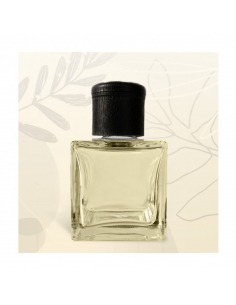
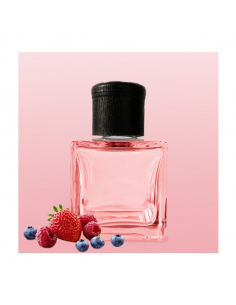
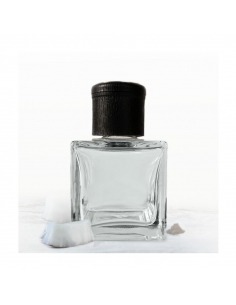
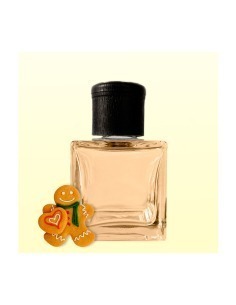
Ambientador Mikado Albaricoque 1000 ml - Difusor ambientador

047. Ambientador Mikado Albaricoque - 1000ml

047. Ambientador Mikado Albaricoque - 1000ml er en duftpinde refill med duftprofil 'Mikado Duftspray - Aroma Diffuser Abrikosin', som vil skabe en afslappet atmosfære og en behagelig sød duft.

Produktet leveres i professionelt format som dunk på 1 liter og er beregnet til genopfyldning af duftpinde for forhandlere, distributører og erhvervskunder. Refill til duftpinde bruges direkte som duft til duftpinde og er egnet til engrossalg og professionel brug; det er en duftvæske i større format og ikke et komplet duftpinde-set.

Du kan finde flere oplysninger her: læs mere om duftpinde og hvordan de fungerer.

En stock
35,63 € 

Beskrivelse

I can’t open the link you gave, but I can give you a complete, practical guide and ready-to-use prompt templates for generating high-quality PrestaShop content (products, categories, CMS pages) with ChatGPT or similar LLMs. The guidance covers what data to supply, how to structure the prompt, formatting rules (so you can import results), SEO and length constraints, multilingual output, and examples. Quick checklist (what to include in your prompt) - Context: store, target audience, brand voice, product category. - Data: product name, key features/specs, target keywords, materials, use-cases, variants (size/color), price, SKU, images (names/alt text), manufacturer, other fields. - Output constraints: field names, format (JSON or CSV), language, character limits (meta title/meta description), HTML allowed or not. - Tone and s: length for short and long descriptions, tone (friendly, technical, luxury), mandatory words or banned words. - SEO: primary + secondary keywords, URL rules (lowercase, hyphens, max length), canonical phrases. - Examples: show one example input → expected output to teach the model. - Safety and checks: ask for plain-language QA checklist and alternative short/long variations. General PrestaShop field mapping (common fields to generate) - name - short_description - description - meta_title - meta_description - meta_keywords (optional) - link_rewrite (friendly URL slug) - tags (comma-separated) - features (list: name → value) - combinations / attributes (e.g., Size: S,M,L) - images (file names) + alt text - manufacturer - supplier - reference / SKU - ean13 / upc - price (useful for copy: “from $X”) - visibility - active (true/false) - categories (list) - attachments SEO & field length guidelines - meta_title: aim <= 60–70 characters - meta_description: aim <= 150–160 characters - link_rewrite (slug): lowercase, hyphens, no special characters; keep it short and keyword-rich - short_description: 50–250 characters (used on product list pages) - description: detailed HTML allowed (PrestaShop supports HTML), 200–1000+ words depending on product - tags: comma-separated, 3–10 relevant tags - alt text: short descriptive phrase for each image How to structure the perfect prompt 1. System role (if supported): “You are an expert e‑commerce product copywriter and SEO specialist familiar with PrestaShop field requirements.” 2. Context: give store name, audience, brand voice, and product category. 3. Input data: list raw fields you have (title, specs, keywords, images, variants). 4. Instructions: exactly which PrestaShop fields to produce, format (JSON), language, character limits, HTML rules, slug rules. 5. Example: show 1 example input and exact expected output format (helps consistency). 6. Output requirements: strict JSON with no extra commentary, or CSV, or JSONL — whatever you will import. Ready-to-use prompt templates A. Product single-item JSON output (copy & paste) System (optional): You are an expert e-commerce product copywriter and SEO specialist creating PrestaShop-ready fields. User prompt: You will produce a JSON object (no extra text) containing fields exactly as requested for a PrestaShop product. Follow constraints below. Store context: - Store name: {STORE_NAME} - Audience: {AUDIENCE} (e.g., "young professionals in urban areas", "outdoor enthusiasts") - Brand voice: {VOICE} (e.g., "friendly and energetic", "luxury and authoritative") - Primary keyword: {PRIMARY_KEYWORD} - Secondary keywords: {SECONDARY_KEYWORDS} Product input: - name: {PRODUCT_NAME} - key_features: [{FEATURE_1}, {FEATURE_2}, ...] - specifications: {SPEC_DICT} (e.g., {"Weight":"200g","Material":"Aluminum"}) - variants: {VARIANT_DICT} (e.g., {"Color":["black","silver"], "Size":["S","M","L"]}) - images: [{IMAGE_FILE_1}, {IMAGE_FILE_2}, ...] (we will receive files elsewhere) - sku/reference: {SKU} - price: {PRICE} - manufacturer: {MANUFACTURER} - target_language: {LANG} (e.g., en, fr) Output rules: - Return only valid JSON object (no commentary). - Fields to include exactly: name, short_description, description, meta_title, meta_description, meta_keywords, link_rewrite, tags, features (array of {"name","value"}), combinations (as object), images (array of {"file","alt"}), manufacturer, reference, price. - meta_title: max 65 characters. - meta_description: max 160 characters. - short_description: 50–220 characters, no HTML. - description: HTML allowed; use

,

    ,
  • , only. 150–700 words depending on product complexity. - link_rewrite: lowercase, hyphen-separated, only letters/numbers/hyphens. Keep ≤ 60 chars. - Use primary keyword in meta_title, meta_description, short_description and within first paragraph of description. - Include 3–8 tags from keywords and major features. - For images, write concise alt text (6–12 words) that includes the primary keyword. - Do not invent technical specs not provided; if data missing, omit or say null in the JSON. - If you must pluralize or adjust phrasing for natural text, keep brand voice. Example input -> output (one product): [provide a small example in prompt so model learns format] Now generate the JSON for the product given above. B. Category page prompt System: Expert e-commerce category copywriter and SEO specialist. User prompt: Create a JSON object for a PrestaShop category. Include: name, description (HTML allowed), meta_title (<=65 chars), meta_description (<=160 chars), link_rewrite (slug), tags, thumbnail_alt, parent_category (if any), and recommended SEO keywords. Constraints: - Description: 80–350 words, persuasive, mention top 5 subcategories or benefits, include primary keyword within first sentence. - Slug lowercase, hyphens, no special chars. - Return only JSON. C. CMS page prompt (About / Shipping / FAQ) System: Expert web content writer for e-commerce. User prompt: Create a CMS page JSON with fields: title, content (HTML allowed, use

    ,

    ,

      ,
    • ), meta_title (<=65), meta_description (<=160), link_rewrite, indexation ("index,follow" or "noindex"), and a short summary (plain text, 1–2 sentences, 100 chars max). Constraints: - Content length: 200–800 words depending on page purpose. - Use brand voice and include 2–4 internal link suggestions (slug format only). - Return only JSON. Examples (concise) Example product input (for you to pass into the prompt): - STORE_NAME: "UrbanTrail Gear" - AUDIENCE: "active city commuters 20–40 who value durable, tech-friendly accessories" - VOICE: "practical, slightly playful" - PRIMARY_KEYWORD: "waterproof commuter backpack" - PRODUCT_NAME: "MetroDry 20L Waterproof Commuter Backpack" - key_features: ["IPX6 waterproof", "padded laptop sleeve up to 15.6\"", "external USB charging port", "reflective accents"] - specifications: {"Capacity":"20L","Weight":"0.9 kg","Material":"recycled nylon"} - images: ["metrodr y-20l-front.jpg","metrodry-20l-side.jpg"] Example expected JSON output (abbreviated): { "name": "MetroDry 20L Waterproof Commuter Backpack", "short_description": "Lightweight 20L waterproof commuter backpack with padded laptop sleeve and external charging port—ideal for city commuters.", "description": "

      The MetroDry 20L is a waterproof commuter backpack designed for...

      • IPX6 waterproof...
      • ...
      ", "meta_title": "MetroDry 20L Waterproof Commuter Backpack", "meta_description": "Durable, lightweight 20L waterproof commuter backpack with padded laptop sleeve and USB charging. Perfect for city travel.", "meta_keywords": "waterproof commuter backpack, laptop backpack, metrodry", "link_rewrite": "metrodr y-20l-waterproof-commuter-backpack", "tags": ["waterproof","commuter","laptop","USB-charging"], "features":[{"name":"Capacity","value":"20L"},...], "combinations":{"Color":["Black","Navy"]}, "images":[{"file":"metrodry-20l-front.jpg","alt":"MetroDry 20L waterproof commuter backpack front view"},{"file":"metrodry-20l-side.jpg","alt":"MetroDry 20L side view with USB port"}], "manufacturer":"UrbanTrail", "reference":"UT-MD20-001", "price":"79.00" } Tips for bulk generation (CSV/JSONL) - Prepare a CSV with columns matching the required fields and include a column for keywords and for brand voice if different per product. - Use a prompt that instructs the model to output a JSON array or one JSON object per input line (JSONL). Example: “Given this CSV row, output a single JSON object with these fields.” - Provide a small sample row -> desired JSON for the model to learn mapping. - Keep prompts identical for each row; pass one row per call or use a tool that does many calls programmatically. Quality control and iterative refinement - After generation, run a short QA prompt: “List potential factual issues and missing specs for this product.” - Ask the model for 3-5 alternate versions of the short_description for A/B testing. - Check for brand-specific rules: banned words (like “best” if regulated), price claims, or warranty wording that requires legal text. - For multilingual: either send product data and ask for translations into languages (specify language codes) or run separate calls. Request exact field suffixes (name_en, name_fr) if you want multi-language JSON. Advanced tips - Use role/system messages to lock voice and SEO approach. - Use explicit “Do not” statements (e.g., “Do not include promotional phrases like ‘buy now’ in meta_title”). - Ask for friendly URL and 1–3 recommended internal links for each product. - If image filenames are generated by your system, ask the model to output safe slug-based filenames. Copy‑and‑paste prompt (all-in-one, ready) You can copy this into ChatGPT (adjust placeholders): System: You are an expert e-commerce copywriter and SEO specialist for PrestaShop stores. User: I will give you product data. Generate exactly one JSON object (no extra text) with these fields: name, short_description, description (HTML allowed with

      ,

        ,
      • ,), meta_title (<=65 chars), meta_description (<=160 chars), meta_keywords (comma-separated), link_rewrite (slug, lowercase, hyphens), tags (array), features (array of {name,value}), combinations (object), images (array of {file,alt}), manufacturer, reference, price. Observe constraints below. Constraints: - Use the following store context: Store: {STORE_NAME}. Audience: {AUDIENCE}. Brand voice: {VOICE}. - Primary keyword: {PRIMARY_KEYWORD}; include it in meta_title, meta_description, short_description and in the first paragraph of description. - short_description: 50–220 chars, plain text. - description: 150–700 words, use HTML paragraphs and bullet lists for features. - meta_title <= 65 chars; meta_description <=160 chars. - link_rewrite: only a–z, 0–9 and hyphens; <=60 chars. - Images: alt text 6–12 words including the primary keyword. - Do not invent specs. If a field is missing, set null. Product data: {paste product data here} Generate now. --- If you want, paste one product, category, or CMS page data here and I’ll generate a ready-to-import JSON following these rules.

Produktoplysninger

MK-albaricoque-1000ml

Reviews (0)

No reviews

Kunder, der købte denne vare, købte også

8 andre varer i den samme kategori:

Product added to wishlist